
To successfully connect your property to Vrbo, please follow these steps:
In the DiBooq Web App (recommended)
-
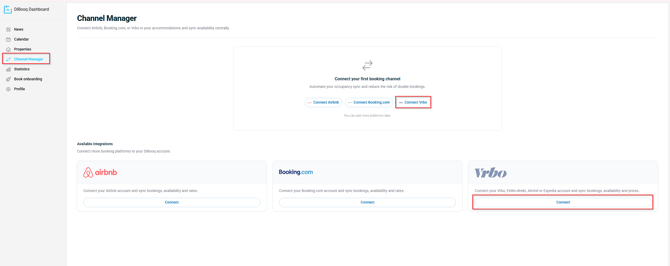
Select Channel Manager from the menu on the left.
-
Then select Vrbo as the platform.
-
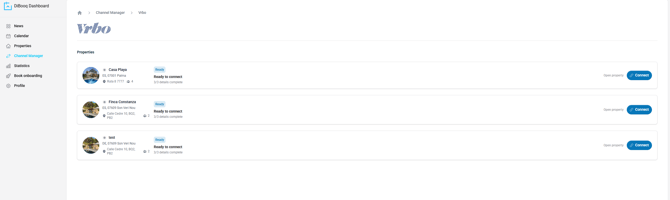
Select the property you want to connect.
-
Log in with your Vrbo credentials.
Important: Before you begin, make sure your email address and password are correct. For security reasons, you can only reconnect to the Vrbo API every 10 minutes.
How to verify your login credentials
First, go to the Vrbo website. If you are still logged in, please log out first.
Then log in again and pay close attention to the password you enter.
If you can log in successfully, your login credentials are correct, and you can proceed with connecting your Channel Manager.
-
Follow the instructions in the DiBooq app to complete the connection.
Still unable to connect?
Simply book an appointment with one of our onboarding specialists.
We'll set up the connection together with you and help you get started quickly and easily.