To successfully connect your Airbnb listing with DiBooq, follow these steps:
App: Go to Profile and select Channel Manager.
Web: Open the Channel Manager section.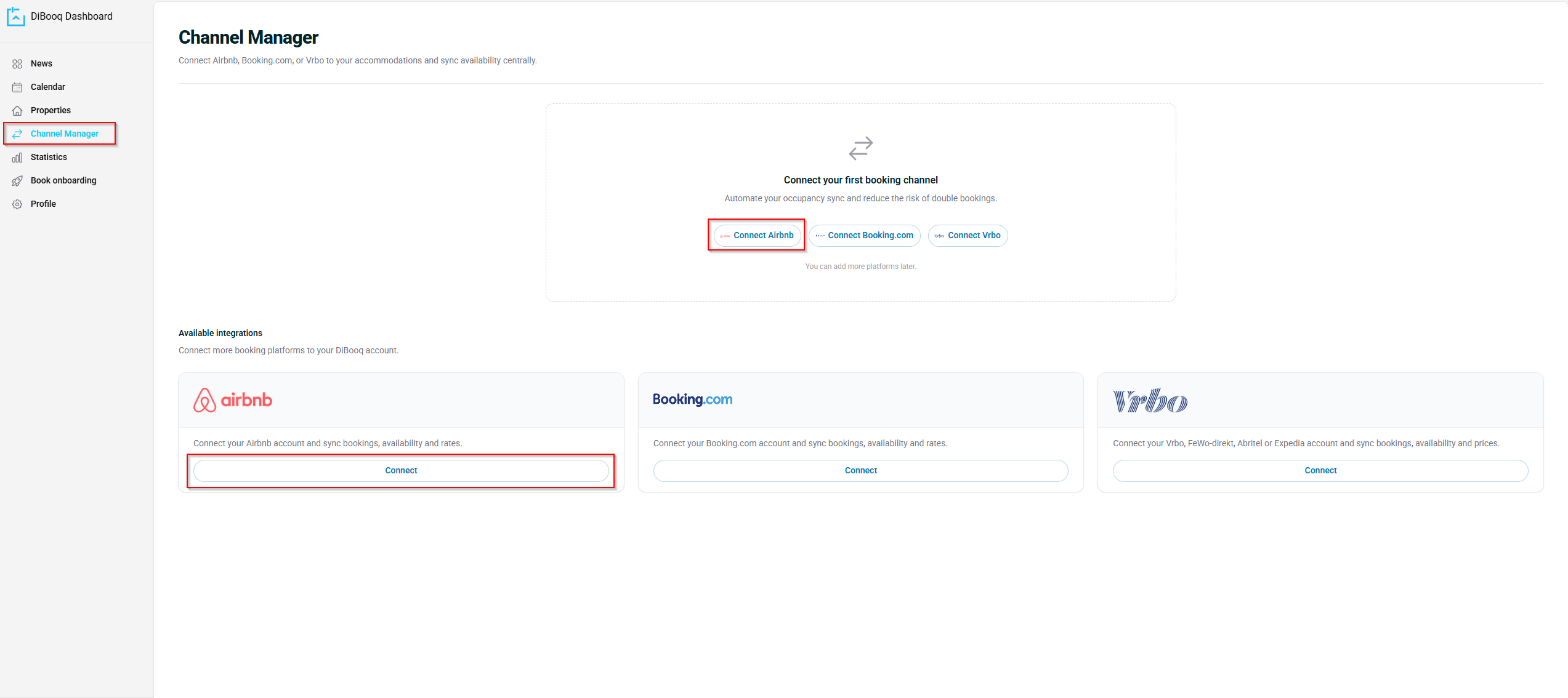
Next, select Airbnb as the platform you want to connect.
-
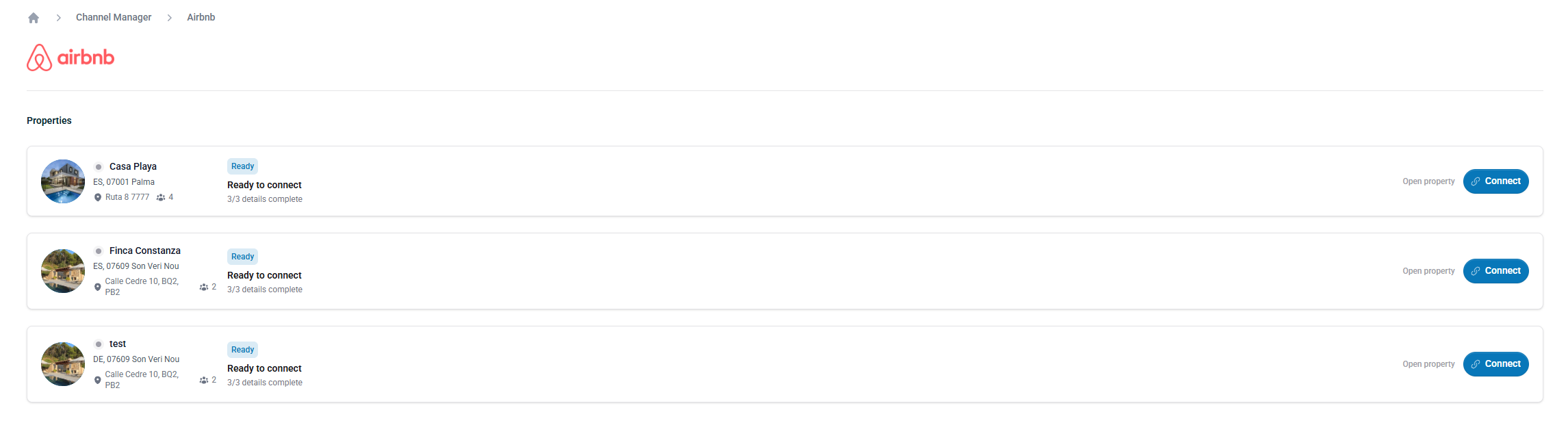
Select the listing you want to connect.
-
Choose your preferred sign-in method and log in to your Airbnb account.
-
Follow the instructions in the DiBooq app to complete the connection.